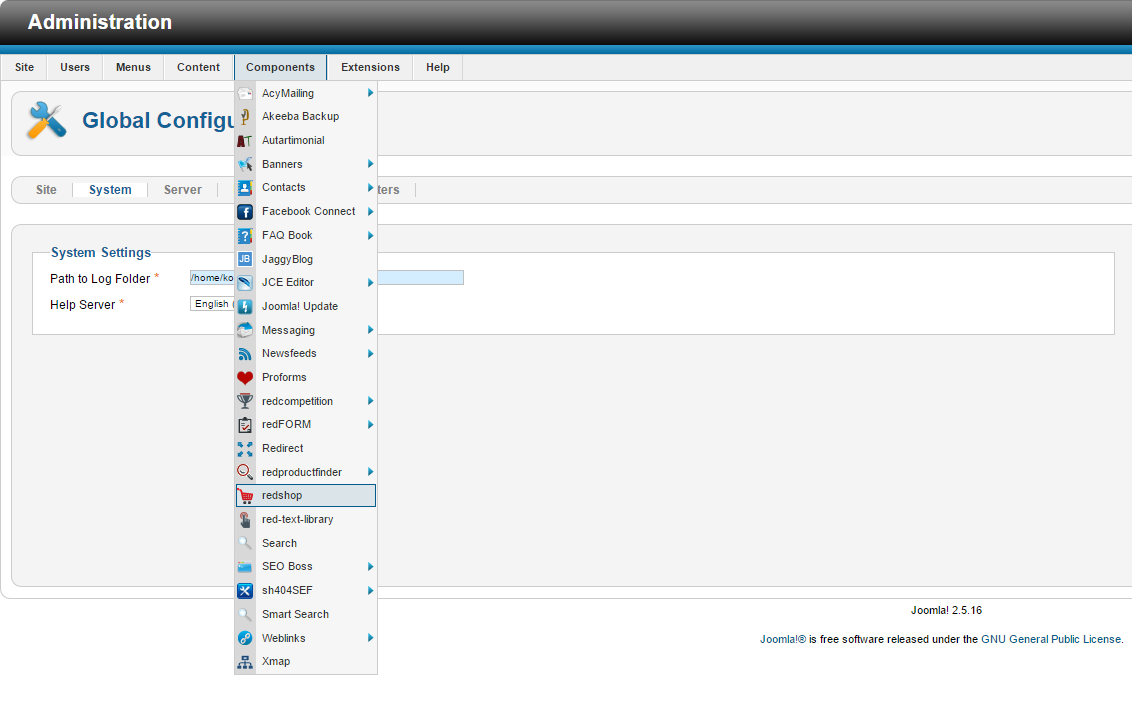
1. Login to your Administrator panel select Components drop down menu > redshop
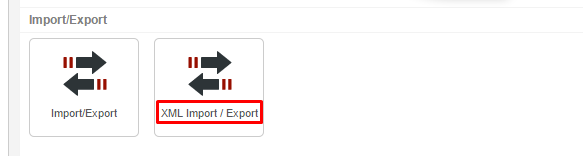
2. Scroll down and select XML Import/Export > XML Export > NEW
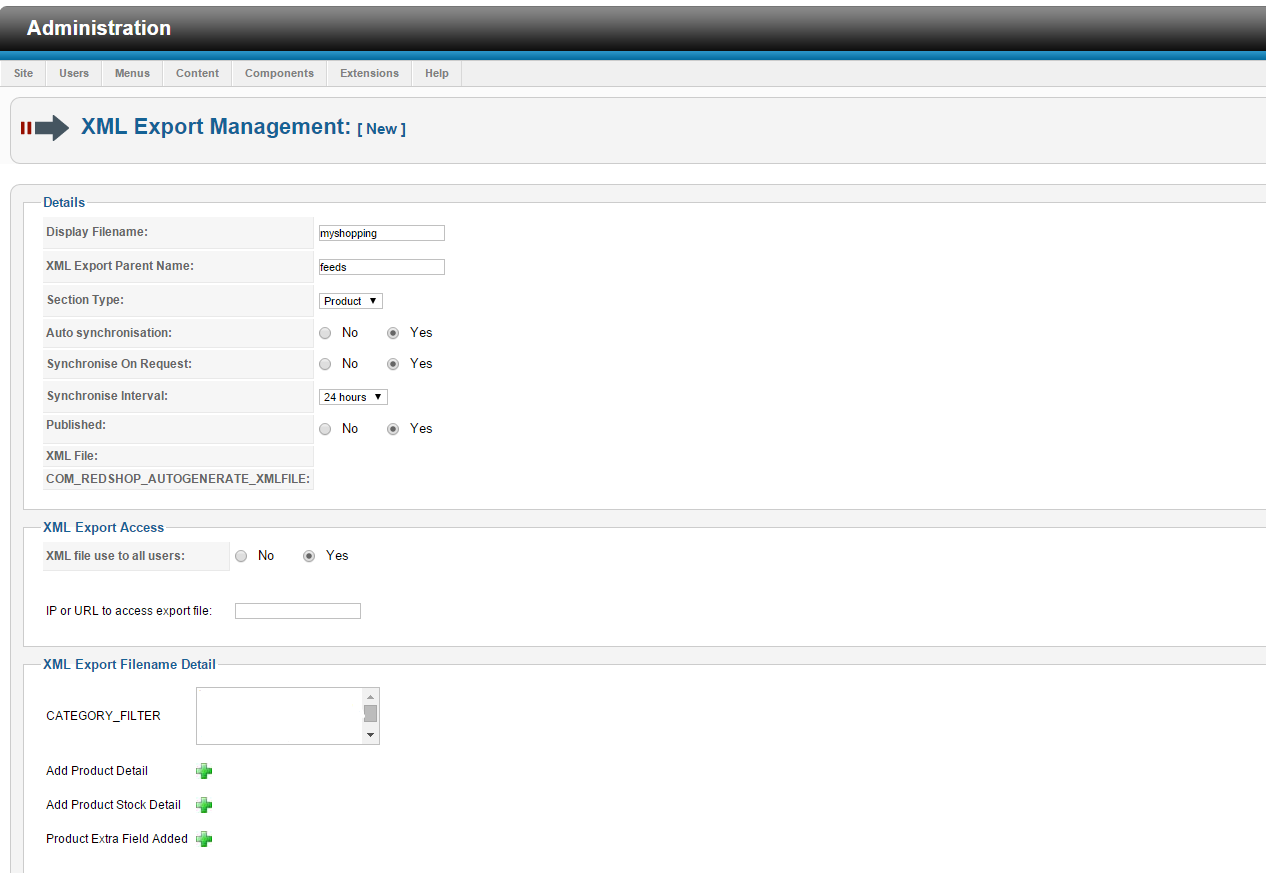
3. Configure Your Feed > as per ss3
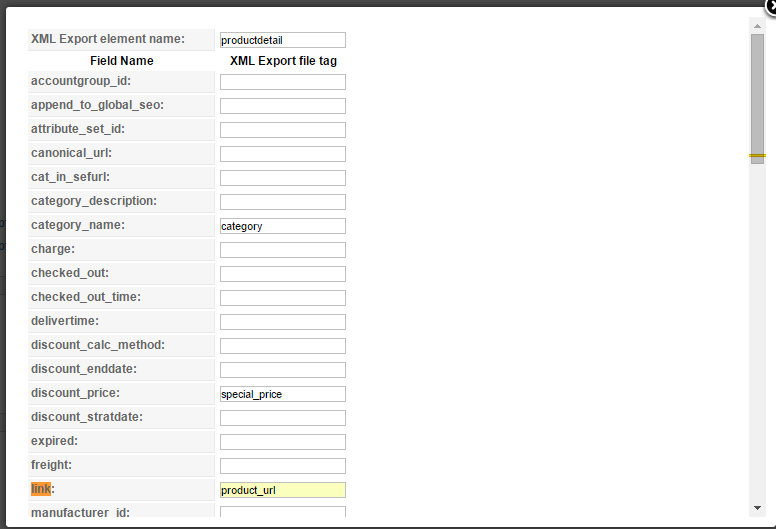
4. Hit the + sign next to Add Product Details - this sets up the headers we will receive in the feed file.
The fields we are most interested in are below (also see ss4):
-
category name: assign as category
-
discount_price: assign as special_prices (use this field if you have sale pricing)
-
link: assign as product_url
-
manufacturer name: assign as manufacturer (necessary if your manufacturer name is not in your product titles)
-
product_desc: assign as descripton
-
product_full_image: assign as image_URL
-
product_name: assign as name
-
product_number: assign as code
-
product_price: assign as price
5. Click the XML export button and your file should download and a link should now appear in the XML file section.
6. Copy that link and send it to support@myshopping.com.au
ss1
ss2
ss3
ss4
Article ID: 194, Created: 3/26/2015 at 10:55 PM, Modified: 3/26/2015 at 11:02 PM